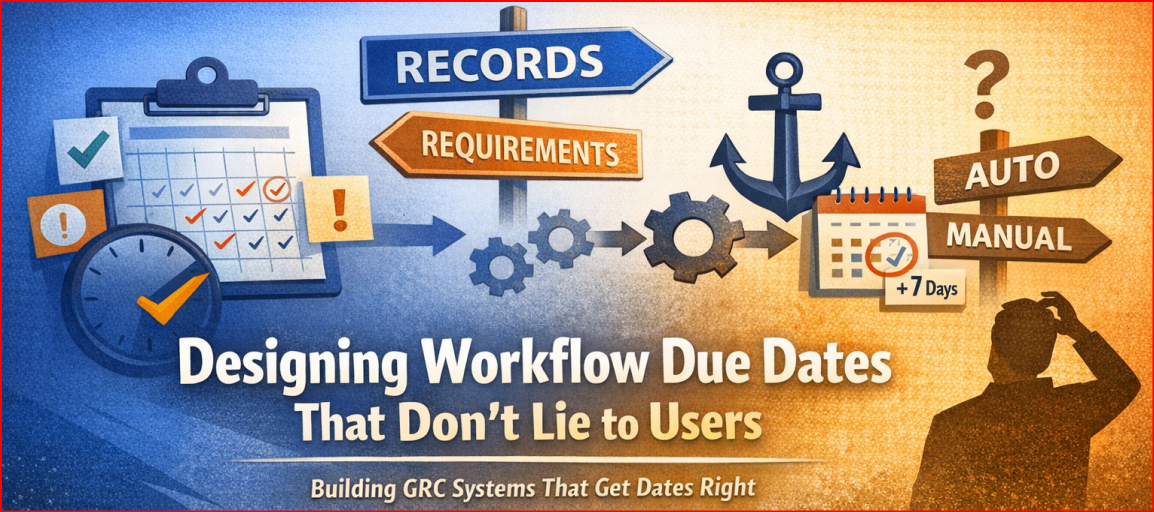
A practical deep dive into records, requirements, gates, and “Pending”
If you’ve ever built workflow software with approvals, phases, and deadlines, you’ve probably learned this lesson the hard way:
Dates lie unless you’re very explicit about what they depend on.
At some point, a user will ask:
- “Why does this record say it’s due on March 10?”
- “Why did the date move when I edited a requirement?”
- “Why can’t I set this requirement later if the record already exists?”
And if your answer is “well… it depends”, you already know you’re in trouble.
Over the last several months, I’ve been working through a problem that almost every governance, risk, compliance, and approval-driven system eventually runs into:
How do you model due dates that are flexible, explainable, and impossible to misconfigure — even as dependencies grow?
This post walks through the core design principles behind a consolidated workflow due-date engine that supports:
- independent (disjointed) workflows,
- coordinated record ↔ requirement workflows,
- real-time UI guardrails,
- and a clean concept of “Pending” without lying to users.
This isn’t theory. This is battle-tested logic designed to survive real users.
The Core Problem: Dates With Dependencies
Most systems start simple:
- a record has a due date
- maybe it has phases
- maybe requirements exist
Then someone asks for just one more feature:
- “Can requirements drive the record’s approval?”
- “Can the record cap requirements?”
- “Can we auto-calculate dates?”
- “Can we add a buffer?”
- “Can this still be editable later?”
At that point, you either:
- start piling on special cases, or
- stop and design a real scheduling model
I chose option #2.
Two Modes That Matter
The system supports two fundamentally different workflow modes, and pretending they’re the same is how bugs are born.
1. Disjointed workflows
(Require requirements to close before approval = false)
- Records and requirements are independent.
- Each object manages its own due date and phases.
- No cross-object constraints.
- Clean, predictable, boring — and that’s a good thing.
2. Coordinated workflows
(Require requirements to close before approval = true)
This is where things get interesting.
Here:
- A record explicitly depends on its requirements (or vice versa).
- One phase in the record workflow becomes a Gate.
- That gate defines direction of influence.
And here’s the critical insight:
There must only ever be one direction of influence at a time.
Anything else creates loops.
The Gate Phase: One Checkbox, Big Consequences
In coordinated workflows, exactly one record phase is marked:
“Require requirements to close before approval”
This phase becomes the Gate Phase.
That gate does two things:
- It blocks workflow progression until requirements complete.
- It defines how dates propagate.
The Gate Phase can be in one of three modes:
Gate Phase = Manual
Record constrains requirements
- The gate has a real date.
- Requirements cannot exceed it.
- This is a hard cap.
If the gate is January 1st, 2025:
- a requirement due January 2nd is simply invalid
- UI blocks it
- backend rejects it
No silent corrections. No guessing.
Gate Phase = Auto (Derived)
Requirements drive the record
This is where most systems fall apart — unless you’re careful.
In this mode:
- the gate date is derived from requirements
- specifically:
the maximum requirement due date - nothing is guessed or approximated
If requirements change, the record updates automatically.
But there’s a subtle UX problem here…
The Cushion Problem (and the Fix)
Imagine this scenario:
- A requirement is due January 1st
- The gate phase auto-derives its date
- Result: the gate is also January 1st
That’s technically correct — but operationally wrong.
In reality, teams almost always want:
“Requirements finish, then I want a few days to review.”
So instead of inventing new fields or special cases, the solution is simple:
Reuse the existing offset mechanism — but change its meaning for the gate.
Gate Phase Cushion
When the gate is Auto (Derived):
due_date_offset_daysbecomes a cushion after requirements- only positive offsets are allowed
- no minus option
- no anchoring to other phases
So the math becomes:
GatePhaseDue = max(requirement due dates) + cushion
Clear. Predictable. Explainable.
And most importantly:
No loops. Ever.
“Pending” Is Not an Error
One of the most important UX decisions in this system is how it treats missing data.
There’s a huge difference between:
- “This date is intentionally unset”
- and “This date can’t be calculated yet”
So we treat them differently.
“-” (dash)
Used when:
- due dates are disabled
- object is explicitly set to None
- no scheduling is intended
“Pending”
Used when:
- due date mode is Auto
- a dependency exists
- required upstream data doesn’t exist yet
Pending is:
- visible
- saveable
- not an error
This matters because in coordinated workflows:
- you can create records before requirements
- you can enable Auto before anchors exist
- and the system should not punish you for that
Instead, it should tell you the truth.
UI Guardrails First, Validation Second
A big philosophy behind this design:
Users shouldn’t be able to make invalid choices in the first place.
That means:
- flatpickr min/max dates update in real time
- illegal options are hidden, not warned about
- offsets that would break sequencing are blocked
- direction toggles disappear when constrained
Validation errors still exist — but they’re the last line of defense, not the primary UX.
And critically:
- UI and backend use the same scheduling engine
- no duplicated business logic
- no “UI lets it through but backend rejects” surprises
Why This Matters in GRC Systems
In governance platforms, dates are not cosmetic.
They affect:
- audits
- regulatory timelines
- remediation tracking
- executive reporting
- legal exposure
A date that looks real but isn’t explainable is worse than no date at all.
The model above ensures that:
- every date has a reason
- every dependency is explicit
- every “auto” value can be explained in one sentence
That’s the bar enterprise software should meet.
Final Thought
If there’s one takeaway from all of this, it’s this:
Workflow dates are not fields — they’re contracts.
Between:
- records and requirements
- users and the system
- automation and accountability
Once you treat them that way, the design choices become obvious.
And the system stops surprising people.
Leave a Reply